

Your next AI agent does not need a broad job description. It needs a useful first task.
A meeting packet before the call. A clear list of project changes. A reconciliation that shows which records need a person to check them.
In d5s, people and AI coworkers share one workspace. Projects hold reusable instructions, files, and memory. Named agents keep an ongoing role and conversation. Automations keep a separate record for each run.
This guide gives you 60 practical AI agent use cases across ten areas of work, with a starter prompt for each area.
Key points
- Start with a result you can check. A brief, a comparison, a draft, or an exception list gives the agent a clear finish line.
- Give the work its context. Add the relevant files, instructions, and connections instead of rebuilding the brief each time.
- Choose how it continues. Use a named agent for an ongoing role and an automation for a repeatable job with separate run records.
- Keep review where it matters. Define which actions need approval and which decisions remain with people.
The logos below each case link to example sources or destinations. Use your existing tools, or start with uploaded files.
These are workflow ideas to adapt to your team. They are not customer case studies or one-click templates. Available tools depend on your model, connections, and workspace permissions.
AI agents for team coordination
Start with the material your team already shares. An AI chief of staff can bring it together for review.
-
Decision brief. Combine a proposal, constraints, and open questions into one page. Separate agreed facts from assumptions that need an owner.
-
Project change report. Compare this week's update with the previous one. Show changed dates, owners, and dependencies with source references.
-
Conflicting instructions review. Compare project documents and list rules that disagree. Prepare questions for the process owner.
-
Handover pack. Turn work notes into current status, unfinished tasks, key files, and next steps for the next owner.
-
Leadership update. Combine approved team reports. Highlight decisions needed, missing information, and work that has moved since the previous report.
-
Project introduction. Explain a project's goal, vocabulary, and current decisions to a new teammate using accessible reference material.
 Notion
 Google Drive
 Slack
Slack GitHub
Try it: “Compare these project updates. List changed dates, new blockers, and decisions needed. Cite the source for each finding.”
AI agents for meetings and follow-up
-
Meeting packet. Use an agenda and accessible account or project history to summarize the purpose, recent decisions, and unanswered questions.
-
Action list. Extract actions from supplied meeting notes. Include evidence, owners, and due dates. Mark missing details instead of inventing them.
-
Agenda review. Compare a proposed agenda with unresolved questions from the previous meeting. Separate decisions from status updates.
-
Meeting recap. Turn a supplied transcript into decisions, actions, and points of disagreement. Prepare the recap for review.
-
Workshop brief. Combine background documents into the problem, constraints, exercises, and expected outputs for a working session.
-
Commitment review. Compare the previous action list with current updates. Identify completed work and items with no evidence of progress.
 HubSpot
 Gmail
GmailTry it: “Use these notes to prepare the next meeting. Give me a short agenda and the decisions we still need.”
AI agent use cases for sales
Give the agent approved account material and a clear audience. Explore the agent library for a starting role.
-
Account research. Summarize a company's public products, markets, and recent announcements. Separate verified facts from questions for discovery.
-
Requirements table. Turn discovery notes into the customer's stated problem, desired outcome, constraints, and supporting excerpts.
-
Follow-up draft. Use call notes and approved product material to prepare a recap and next steps for the seller to review.
-
Proposal evidence pack. Match customer requirements to relevant product documentation. Flag requirements that the available material does not answer.
-
Deal review. Read an authorized pipeline export and meeting notes. List missing next steps, unclear decision owners, and dates needing confirmation.
-
Customer presentation. Turn an approved brief into an HTML deck that previews in d5s and prints to PDF. Keep sources with the claims.
 Close
CloseTry it: “Turn these discovery notes into a requirements table. Include evidence and open questions. Do not assume we support unverified requirements.”
AI agents for customer support
-
Support reply draft. Answer a supplied customer question from current help material. Flag anything the documents do not establish.
-
Support theme report. Group an exported ticket set by customer problem. Show counts and examples from the supplied data.
-
Engineering escalation. Turn a reported issue into observed behavior, expected behavior, reproduction details, and missing evidence.
-
Help content gap review. Compare customer questions with the documentation. Propose articles or corrections for review.
-
Reply consistency check. Compare draft replies with current policy and product documentation. Identify contradictions before the replies are sent.
-
Account onboarding checklist. Use the agreed scope and setup guidance to list prerequisites, responsible people, and verification steps.
 Airtable
Try it: “Group this ticket export by customer problem. Show counts and examples. Separate documentation suggestions from product changes.”
AI agents for product teams
-
Research synthesis. Group observations from supplied interviews by task and friction. Preserve the source behind each theme.
-
Feature brief. Turn a problem statement and research material into the user need, scope, constraints, and unanswered questions.
-
Requirements comparison. Show what changed between two specifications. Identify acceptance criteria that need review.
-
Survey analysis. Group responses into themes and count them. Keep minority views visible alongside common answers.
-
Experiment plan. Draft a hypothesis, measurement plan, success criterion, and stop condition from an approved product question.
-
Launch readiness review. Compare a checklist with supplied evidence. Separate confirmed completion from items reported complete without proof.
 PostHog
Try it: “Review these interview notes. List the main problems with supporting excerpts. Keep proposed solutions separate from customer observations.”
AI agent use cases for engineering
An engineering agent can help prepare evidence for the engineers who own the change.
-
Codebase explanation. Use accessible repository files to trace relevant components and entry points. Link the explanation to the code.
-
Pull-request review. Inspect a bounded diff against requirements. Report concrete risks, missing evidence, and relevant test results when available.
-
Build failure summary. Read supplied CI logs and identify the first useful failure. Suggest a focused next check.
-
Test scenario draft. Turn requirements into expected behavior, invalid inputs, and boundary cases. Flag requirements that cannot yet be tested clearly.
-
Dependency-change brief. Compare release notes with current usage. List compatibility questions and checks needed before an upgrade.
-
Release note draft. Explain user-visible changes from a verified change list. Keep merged code and confirmed releases separate.
 Craft
CraftTry it: “Review this diff against the requirements. Report concrete findings with file references. State which checks you could not run.”
AI agents for marketing and content
Keep approved facts and brand guidance together. See d5s for marketing teams.
-
Blog draft. Turn an approved product brief into the problem, workflow, and result. Keep unsupported claims out of the copy.
-
Channel adaptations. Draft a newsletter section, social post, and product update from the same approved announcement.
-
Brand review. Check a draft against the brand guide for terminology, tone, claims, and the next step. Suggest specific edits.
-
Research outline. Gather public material around a defined question. Return an article structure with source links and unresolved questions.
-
Campaign image concept. Where image generation is enabled, turn an approved creative brief into an image for review and revision.
-
Report presentation. Turn a report into an HTML deck with evidence-based charts and one clear point per slide.
Try it: “Use this approved announcement to draft a blog introduction and three social posts. Preserve the facts and adapt the length.”
AI agents for data analysis
-
Spreadsheet quality check. Identify missing fields, duplicate rows, inconsistent dates, and values outside the stated rules.
-
Period comparison. Calculate changes between supplied datasets. Separate measured differences from possible explanations.
-
Data dictionary. Turn column names, sample rows, and supplied definitions into field descriptions. Mark unknown meanings.
-
Chart with evidence. Visualize a supplied dataset and include the underlying table, units, and calculation assumptions.
-
Metric reconciliation. Compare two reports' filters, periods, and definitions. Identify differences that could explain conflicting results.
-
Airtable record summary. Read an approved Airtable base and summarize its records. State which tables, fields, and filters the result covers.
 Mixpanel
Try it: “Compare these monthly exports. Check data quality first, then show the largest changes. Do not infer causes without evidence.”
AI agents for finance and accounting
An AI accountant can prepare records and exceptions. A qualified person remains responsible for accounting judgments and sign-off.
-
Reconciliation exceptions. Compare supplied records using approved matching rules. Separate matches, explained differences, unresolved differences, and missing sources.
-
Expense packet check. Compare submitted documents with the expense policy. List missing receipts, dates, or explanations.
-
Budget variance report. Calculate differences from supplied spreadsheets and draft questions for budget owners.
-
Renewal calendar. Extract notice dates and renewal terms from supplied supplier agreements. Link each entry to its source passage.
-
Month-end review packet. Use an automation for agreed checks and a separate result for each period. Keep accounting sign-off with the reviewer.
-
Management commentary. Turn approved financial tables and explanations into a concise narrative. Keep calculations and assumptions available for inspection.
 Stripe
Try it: “Compare these records using the attached matching rules. Create an exception list with evidence. Do not approve or post accounting entries.”
AI agents for internal knowledge
-
Onboarding guide. Combine approved team documents into a first-week reading list, key terms, and questions for the manager.
-
Policy explanation. Answer a staff question from current policy documents. Flag ambiguity for the policy owner.
-
Policy change summary. Compare versions for changed responsibilities, deadlines, and procedures. Draft a staff update for review.
-
Reference material review. Check a supplied document inventory for old review dates, broken references, and conflicting versions.
-
Operations checklist. Turn a documented process into ordered steps, required evidence, and a named review point.
-
Supplier comparison. Organize supplied proposals against your criteria. Keep quoted facts, missing information, and team judgments separate.
Try it: “Compare these supplier proposals against our requirements. Cite each answer and mark missing information. Do not fill gaps with assumptions.”
Three examples to try with your own data
These illustrative walkthroughs show inputs and expected outputs. They are not customer results or completed end-to-end tests.
Prepare a sales meeting with HubSpot
Input: An account name, the meeting purpose, and approved discovery notes. Connect HubSpot for account context and supply the notes as a file.
Ask: “Prepare a one-page brief with confirmed requirements, open questions, and a suggested agenda. Cite the source for each fact.”
Output: A meeting brief that separates evidence from assumptions. The seller checks the facts and decides what to discuss. Sending the brief is a separate action.
Turn GitHub changes into a release draft
Input: A repository and a specific list of changes confirmed as released. Give the agent GitHub access within that scope.
Ask: “Group these released changes by user outcome. Link each item to its evidence. Flag anything whose release status is unclear.”
Output: A release-note draft with source links. An engineer checks the release status before marketing publishes it.
Review files from Google Drive
Input: Two approved monthly exports and the rules for comparing them. Give the agent access to those files in Google Drive.
Ask: “Check missing values and duplicate rows first. Compare the periods, show your calculations, and list unresolved differences.”
Output: A comparison and an exception list. The owner checks the calculations and decides how to resolve each exception.
GitHub, HubSpot, and Google Drive each passed a bounded read check in d5s on 27 October 2026. These checks confirm reads, not every workflow above.
Choose how the work should run
Use a chat to try a task and refine the result.
Use a project when the work needs shared instructions, reference files, and memory.
Use a named agent when one role should continue across conversations and follow-up work.
Use an automation when a repeatable task needs a separate result and run history each time.
Available tools depend on your workspace, selected model, enabled connections, and permissions. You can also begin with uploaded files or supplied notes.
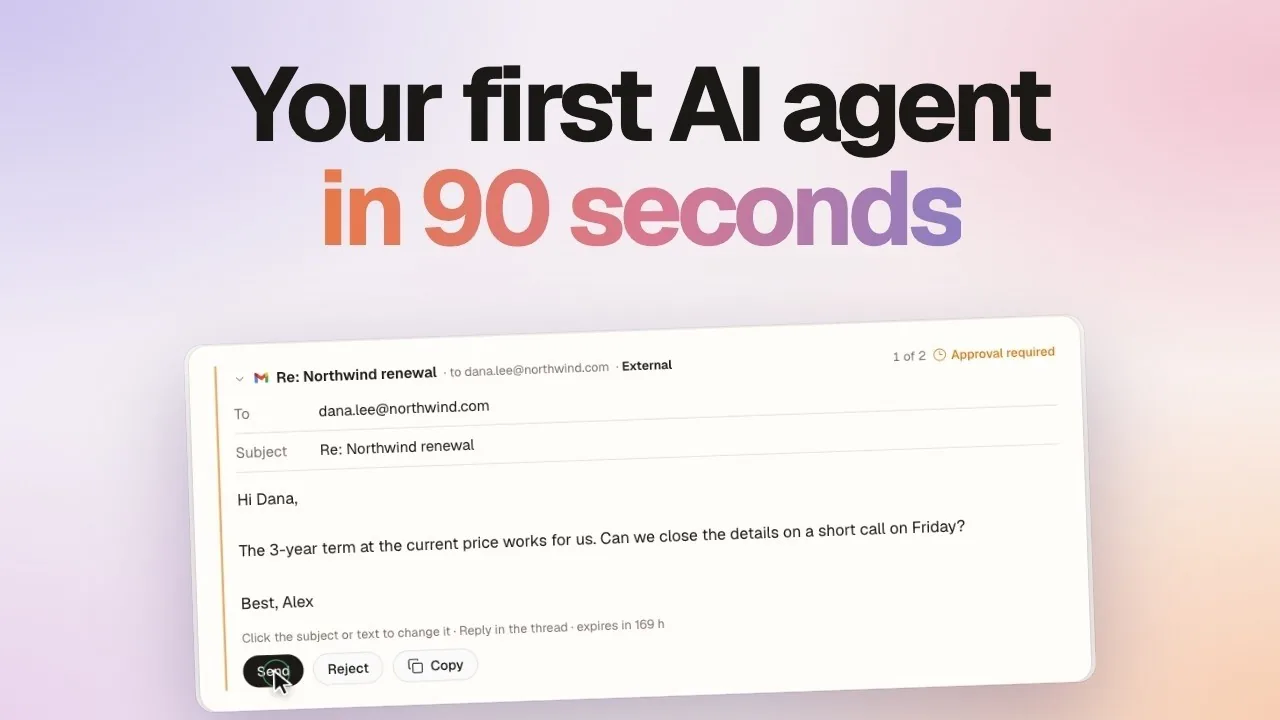
Choose the tools your task needs from the connector catalog. For connected tools, review the action controls. Reads are allowed by default; sends and changes normally ask for approval. Workspace settings can change those defaults.
Start with one task
Choose a recurring job with clear inputs and a result you can inspect. Name the sources, describe the output, and define what needs human review.
Run it manually first. Check a normal case and a case with missing information before adding a schedule.
Start from the agent library, or follow the guide to create an agent for your inbox and calendar. Give it one task before adding more.
Questions and answers
What are practical AI agent use cases for a team?
Start with work that has clear inputs and a result you can inspect: meeting packets, project updates, support drafts, data comparisons, and reconciliation exceptions. Give the agent the relevant sources and define what a useful result contains.
Are these ready-made d5s templates?
No. These are workflow ideas based on d5s capabilities. Adapt the sources, output, permissions, and review steps to your team. Start from a ready-made role or describe the job, then test it with representative input.
Should I use an agent or an automation?
Use a named agent for an ongoing role and conversation. Use an automation when each occurrence of a repeatable task needs its own result and run history. A project can hold reusable context for shared work.
Do I need to connect every business tool first?
No. Begin with supplied notes or uploaded files. Add connections when the task needs access to a service. The connection must be available and enabled for the work, and its permissions still apply.
Can a d5s agent send messages or change records?
Yes, when the relevant tool and permissions are available. Reads are allowed by default; sends and changes normally ask for approval. Review the action settings for your workspace and account before giving a task more autonomy.
How do I choose the first task to automate?
Choose a recurring task with accessible sources, a clear output, and a person who can check it. Run it manually first. Test a normal case and a case with missing information before adding a schedule.